Description
Titlescreen 0.1.1
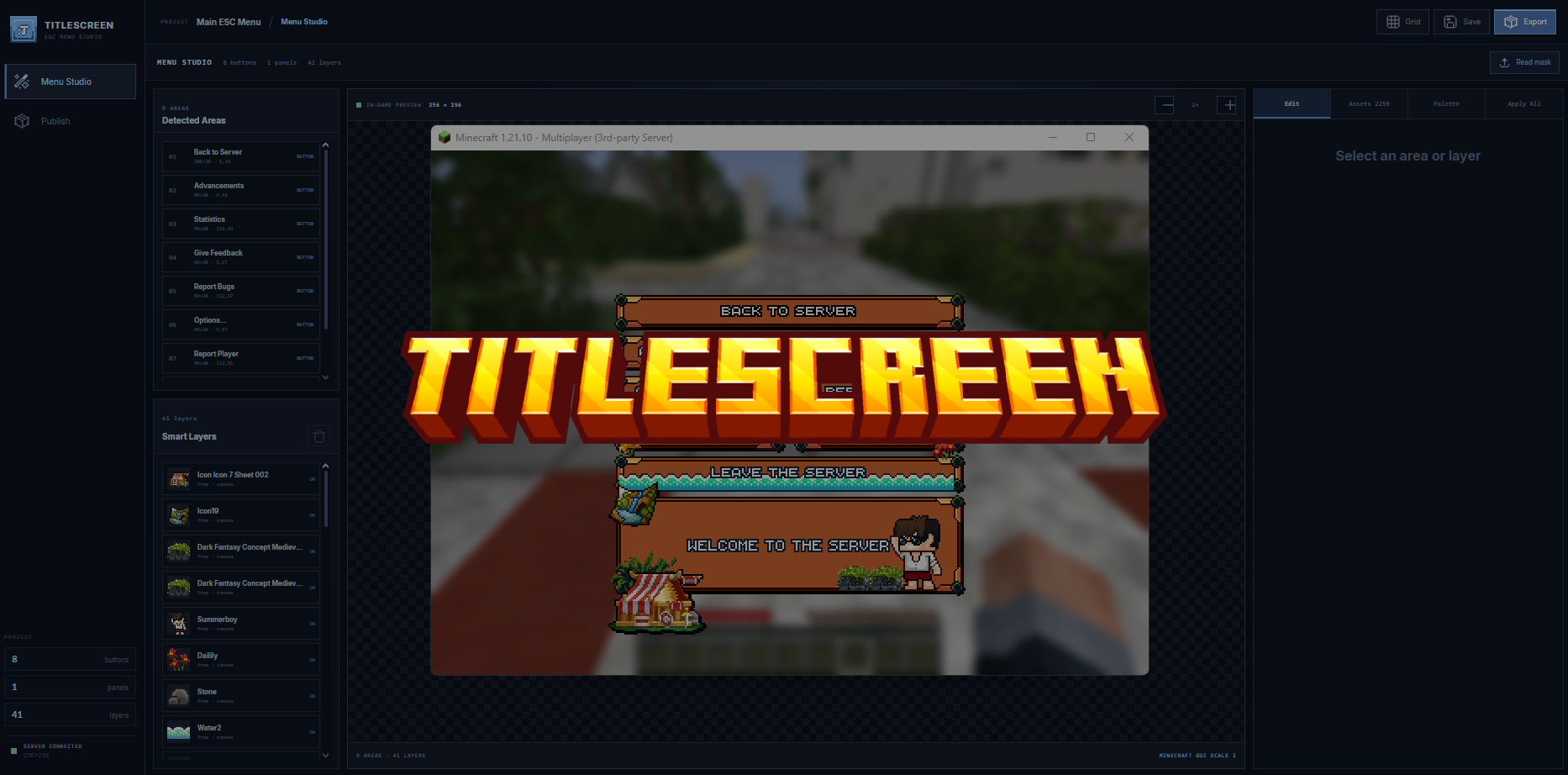
Turn a green layout mask into styled buttons, text and decorations, then publish through ItemsAdder or Nexo. Titlescreen follows Minecraft's native controls and click areas. Version 0.1.1 adds the separate 26.3 layout with World Options and format 97.1 overlays.
Latest changes
- Added a separate Minecraft 26.3 profile with World Options geometry.
- Added format 97.1 overlays and protocol 777 recognition.
- Kept classic, 26.2 and 26.3 artwork independent in the editor and export validation.
- Prevented a format-88 supplemental pack from being offered to a known 26.3 client.
- Updated setup and integration documentation.
Setup and compatibility
- Back up the saved project and provider packs, stop the server and replace the old JAR with
Titlescreen.jar.
- Start once and review
plugins/Titlescreen/config.yml. Run /titlescreen web; the default address is 127.0.0.1:8766.
- For remote access configure
web.public-url, an authenticated HTTPS reverse proxy and keep the Studio token private.
- Select each client layout, set server links/dialogs correctly, use Fit Native and review the click-area guides. Review classic, 26.2 and 26.3 designs.
- Select the provider, publish all required designs, let the provider rebuild and reconnect with the updated pack. Verify native buttons, icons and GUI scales in-game.
Native layout definitions cover classic 1.21.8–26.1.x, 26.2 and 26.3. Three-layout exports preserve each composition separately. Purpur/Folia are integration targets, not runtimes verified by this release check. Client mods, unknown and preview protocols are not assigned a guessed layout.
Paper 26.3 build 157 BETA / Java 25: startup, Studio listener initialization and clean shutdown passed. 66 Java tests, 337 browser-code tests, TypeScript and lint checks passed. Native-client visuals, live provider merges and Purpur/Folia runtimes were not exercised.
Full setup, commands and troubleshooting guide
Check your setup
Only the versions and integrations explicitly listed here are claimed as supported. Required third-party software is not included unless stated.
- Edition
- Java
- Tested game versions
- Not specified. Ask before purchasing.
- Tested platforms
- Not specified. Ask before purchasing.
- Supported integrations
- Not specified. Ask before purchasing.
- Java runtime
- Java 25 for Paper 26.3. Retains Java 21 bytecode and a Paper 1.21.8 compile baseline; use the runtime required by your older server build.
- Required dependencies
- Paper backend; Java 25 on Paper 26.3. Install on a backend server, not on Velocity.
- Optional integrations
- ItemsAdder or Nexo for provider publishing; ViaVersion for original-client protocol diagnostics. Players must accept the generated pack.
- File formats
- Server ZIP containing Titlescreen.jar, setup and upgrade guides, changelog, notices and SHA-256 checksums. Exports PNG artwork, fonts, language entries and version-aware resource-pack ZIPs.
- Editable source files
- Not specified. Ask before purchasing.
- Pack format
- Classic 64–84; 26.2 format 88; 26.3 format 97.1
Installation
1. Back up the saved project and provider packs, stop the server and replace the old JAR with `Titlescreen.jar`.
2. Start once and review `plugins/Titlescreen/config.yml`. Run `/titlescreen web`; the default address is `127.0.0.1:8766`.
3. For remote access configure `web.public-url`, an authenticated HTTPS reverse proxy and keep the Studio token private.
4. Select each client layout, set server links/dialogs correctly, use **Fit Native** and review the click-area guides. Review classic, 26.2 and 26.3 designs.
5. Select the provider, publish all required designs, let the provider rebuild and reconnect with the updated pack. Verify native buttons, icons and GUI scales in-game.
Read the documentation ↗
License terms
A purchase grants the license described on the product page; it does not transfer ownership of Anonventions software, artwork, branding, or documentation. Unless a product states otherwise, licenses are personal or tied to the stated number of servers and may not be resold, shared, published, reverse engineered for redistribution, or used to bypass access controls. Updates, compatibility ranges, dependencies, and support scope may vary by product. Review the product page and documentation before purchase.
Updates
Not specified for this product. Contact SiftStudios before purchasing.
Support
Not specified for this product. Contact SiftStudios before purchasing.
Mandatory consumer rights and applicable third-party open-source licenses are not overridden by these terms.
Only logged in customers who have purchased this product may leave a review.
What changed
0.1.1
- Added a separate Minecraft 26.3 profile with World Options geometry.
- Added format 97.1 overlays and protocol 777 recognition.
- Kept classic, 26.2 and 26.3 artwork independent in the editor and export validation.
- Prevented a format-88 supplemental pack from being offered to a known 26.3 client.
- Updated setup and integration documentation.
 Paper




Reviews
There are no reviews yet.