Description
Currency Glyph Pack
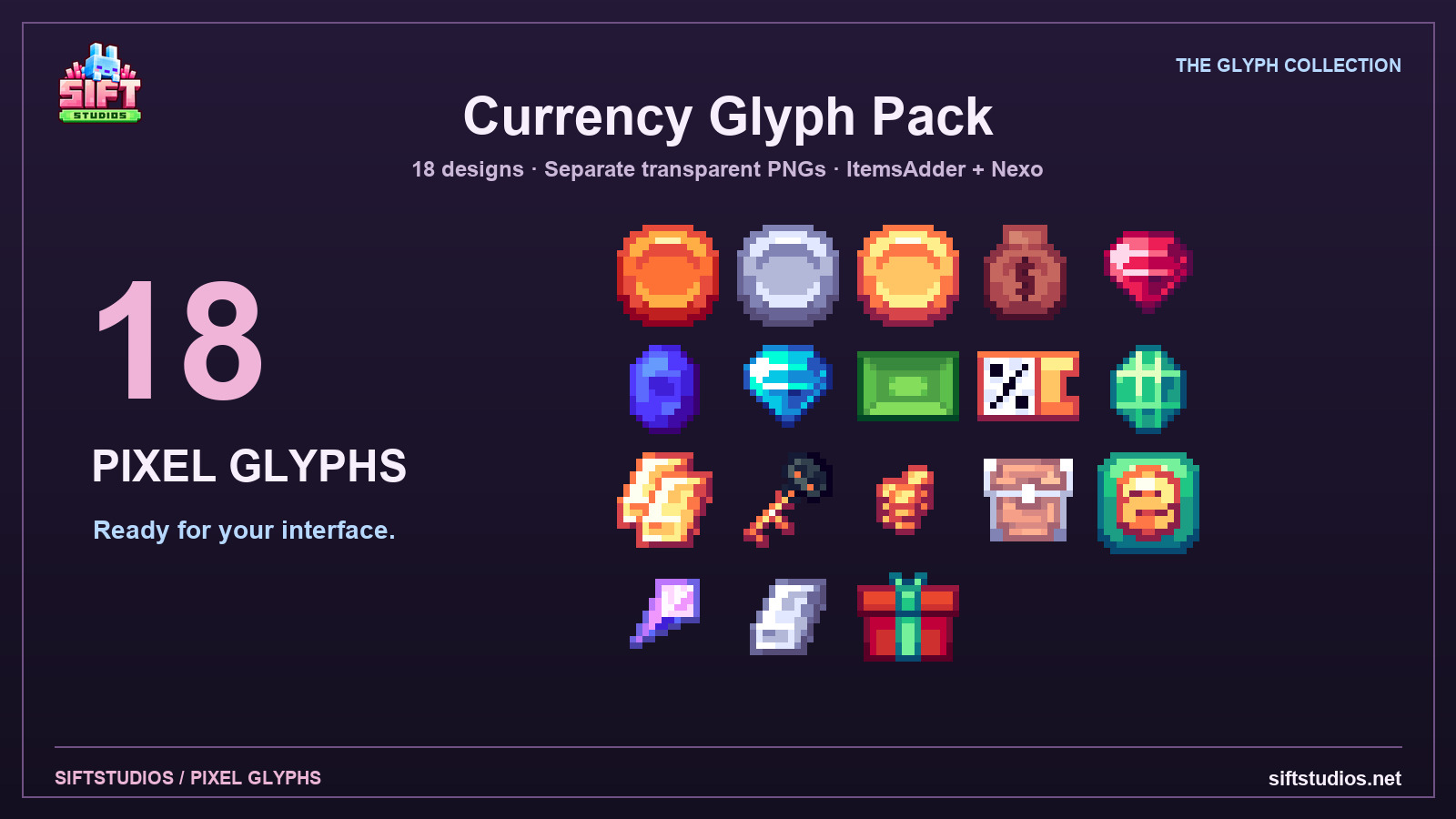
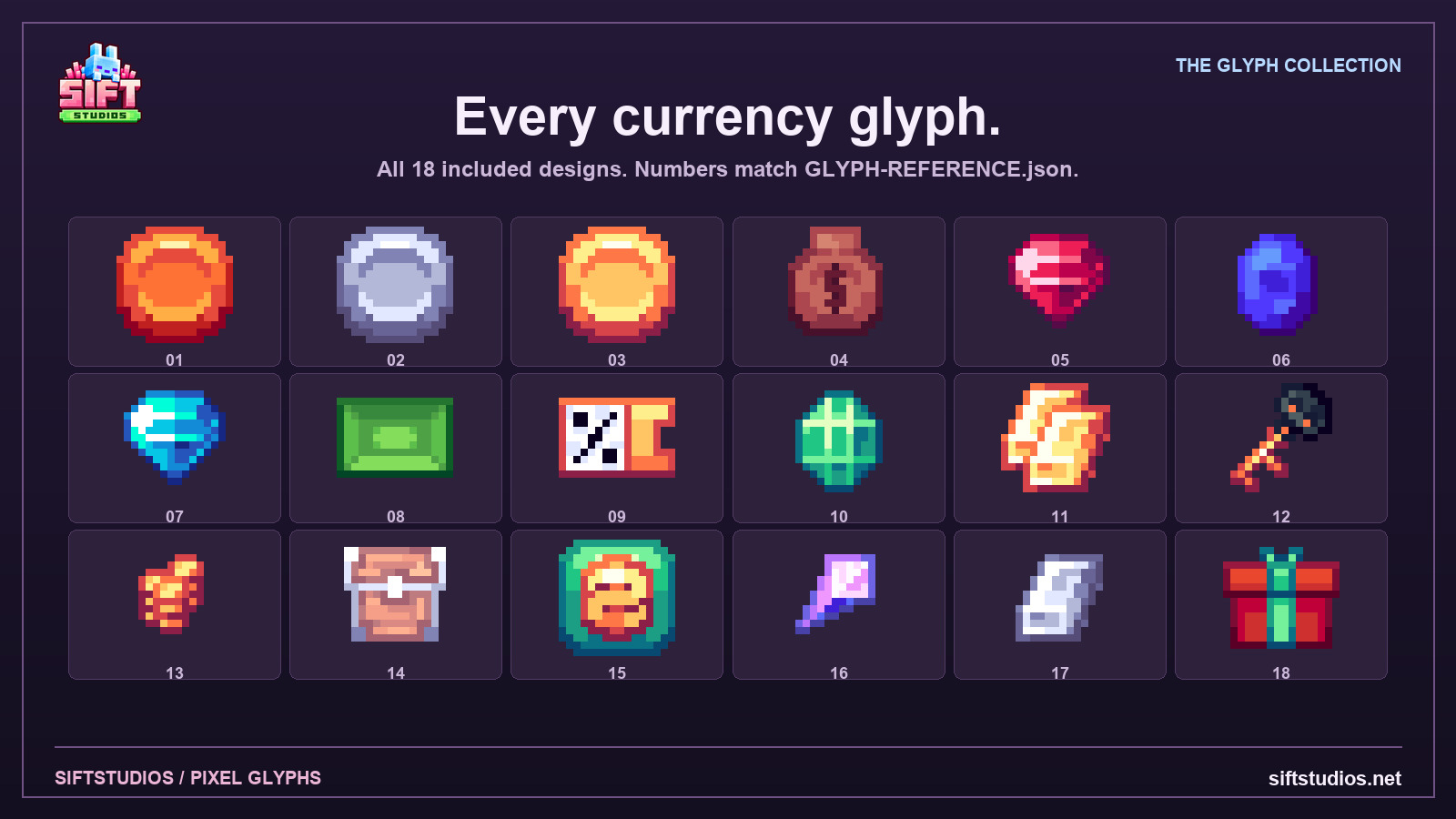
Add 18 pixel designs to your server interface. Every glyph is separated into its own transparent PNG and configured for ItemsAdder or Nexo.
Inside the download
- 18 separate editable PNG designs on 16 × 16 native canvases, separated without resampling.
- ItemsAdder font images and Nexo glyph YAML.
- Complete glyph IDs, placeholders and Unicode reference.
- Plain-text installation and usage guide.
Setup and use
Install your chosen pack manager and its dependencies separately. Merge the included folders, generate and host the pack, then have players accept it. Use the supplied glyph tags or placeholders in a compatible text display. Nexo uses a custom font; ItemsAdder uses a reserved default-font character range.
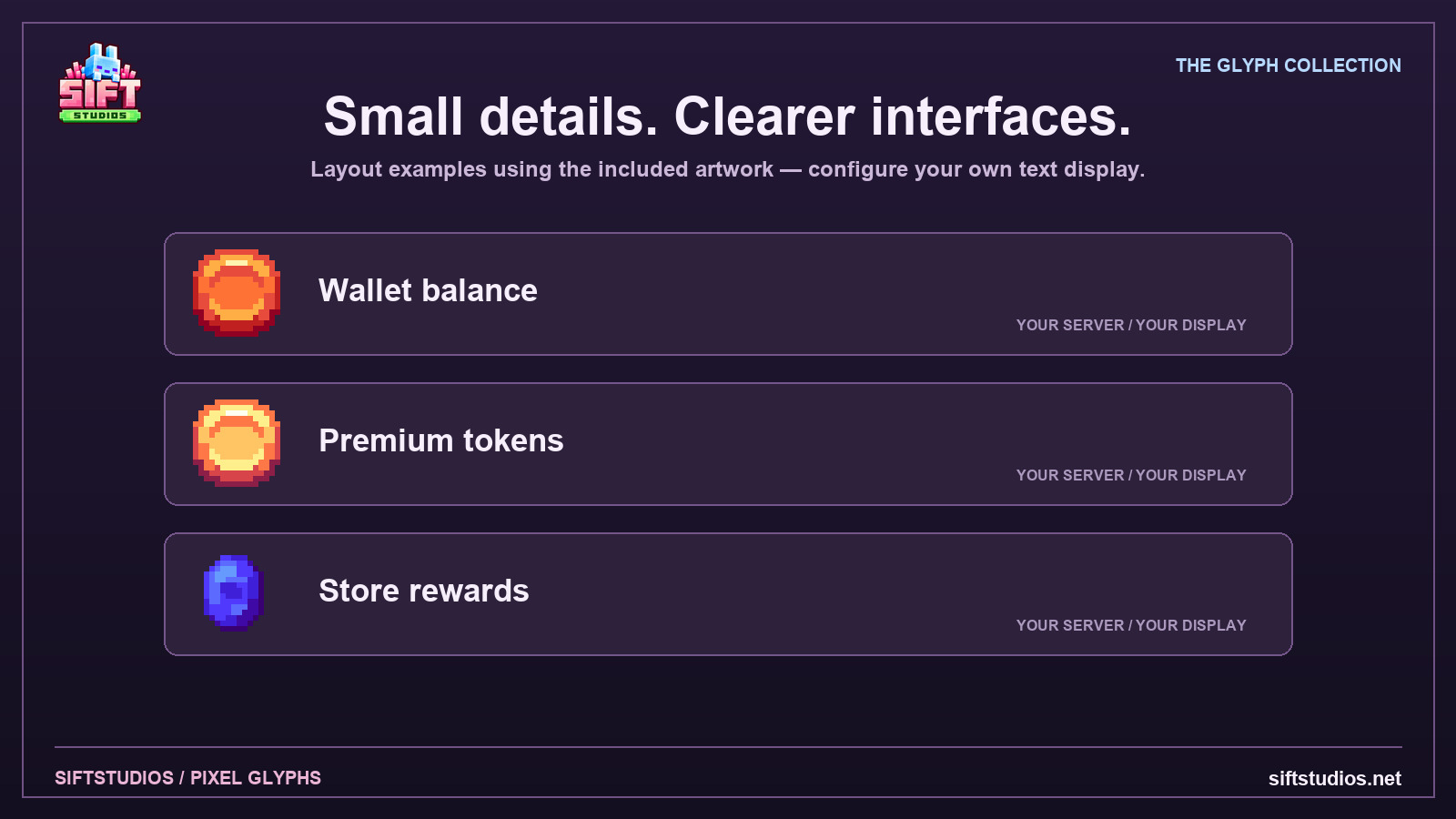
These are cosmetic text glyphs, not inventory items or functional systems. They do not add currency balances, combat features, rewards or social-media connections. Layout showcases are examples using the actual artwork. Plugin JARs/licenses are not included. Configuration, texture paths and PNG separation have been checked; live client testing is not claimed.
License and support
Use and modify the artwork in your own servers and communities. Delivery in your compiled server pack solely for gameplay is permitted. No resale, standalone redistribution or sharing the purchased ZIP. Client/commission work requires direct written permission from SiftStudios through a separate paid agreement. Ask for setup support through our Discord.
Check your setup
Only the versions and integrations explicitly listed here are claimed as supported. Required third-party software is not included unless stated.
- Edition
- Java
- Tested game versions
- Not specified. Ask before purchasing.
- Tested platforms
- Not specified. Ask before purchasing.
- Supported integrations
- ItemsAdder, Nexo
- Required dependencies
- ItemsAdder OR Nexo, installed separately with the dependencies required by your build. Players must accept the generated resource pack.
- Optional integrations
- PlaceholderAPI plus a compatible text display for placeholder-based use. A chat/tab/scoreboard/menu display that supports the chosen glyph format.
- File formats
- PNG, YAML, JSON, TXT
- Editable source files
- Included
- Asset count
- 18 separate static glyph designs
- Texture resolution
- 16 × 16 transparent PNG
- Animations
- None
Resource-pack support Nexo
 ItemsAdder
The author has marked these setups as supported for this resource. Read the installation instructions for the tested versions and included configuration files. Third-party plugins and licenses are not included unless the listing says so.
Installation
SIFTSTUDIOS - CURRENCY GLYPH PACK | VERSION 1.0
18 separate static glyph designs. Native transparent PNG canvas: 16 x 16.
INSTALL ONE OPTION
Use ItemsAdder OR Nexo for this collection. Install the plugin and its required
dependencies separately; no plugin JAR or paid license is included.
Back up your server first. Merge only the supplied content folders, not the
entire plugins folder. Players must accept the generated resource pack.
ITEMSADDER
1. Install and start ItemsAdder once, then back up and stop the server.
2. Copy ItemsAdder/plugins/ItemsAdder/contents/sift_currency_glyphs into the same folder on
your server. Keep textures and configs together.
3. Start the server. Use /iareload then /iazip, or the equivalent generation
commands for your installed build. Finish pack hosting and accept the pack.
4. Use the IDs/placeholders or actual symbols in GLYPH-IDS.txt. First example:
:sift_currency_copper_coin:
PlaceholderAPI form: %img_sift_currency_copper_coin%
The display plugin must support the relevant placeholder format.
5. Default font characters reserved by this pack: U+F800 through
U+F811. Check your other packs for collisions first.
If changing symbols, update all references together.
NEXO
1. Install and start Nexo once, back up and stop the server.
2. Merge Nexo/plugins/Nexo into your server's plugins/Nexo. Both glyphs YAML
and pack/assets/sift_currency_glyphs textures are required.
3. Start/rebuild with /nexo reload all or the equivalent commands for your build.
Configure hosting and have players accept the generated pack.
4. Use in a Nexo-aware text display.
For a compatible PlaceholderAPI display, use %nexo_sift_currency_copper_coin%.
5. Nexo glyphs use custom font sift_currency_glyphs:glyphs. Nexo assigns its own characters;
use its glyph tags instead of the raw ItemsAdder symbols. Your text display
must preserve the font component. Nexo's default glyph permission setting
applies; grant the appropriate permission in your own server if necessary.
These designs are listed as emojis when allowed by your Nexo settings.
WHAT THEY DO
These are text/font glyphs for chat, scoreboards, rank prefixes, menus and
other compatible text displays. They do not create inventory items or add an
economy, currency balance, combat system, rewards or social-media integration.
The third showcase is a layout example using the delivered artwork.
No live Minecraft client test is claimed for these configurations.
CUSTOMIZATION
The Glyphs folder contains each original design separated without resampling.
Edit the PNGs in a pixel editor, preserve transparency and use the matching
canvas dimensions. Replace the same texture in your chosen setup and rebuild.
Render height is 16 and baseline ascent 12; adjust both for your text layout.
Keep raw glyph text white to preserve the original colors. Avoid smoothing
when enlarging previews. Shared use through your compiled server pack is allowed
under the license; sharing the purchased archive or standalone PNGs is not.
IF YOU SEE BOXES OR LITERAL TAGS
Rebuild, accept the correct resource pack and check texture paths and Unicode
conflicts. Literal tags mean the display is not parsing the required Nexo or
ItemsAdder placeholder. Nested PlaceholderAPI expansion depends on your display.
REFERENCES
https://wiki.itemsadder.com/adding-content/font-images/font-images/
https://docs.nexomc.com/configuration/glyphs
License terms
Licensed for use and modification in your own servers and communities.
Delivery inside your compiled server resource pack solely for gameplay rendering
is permitted. Resale, sharing the purchased ZIP, sublicensing, distributing
standalone assets or using the artwork in products for others is prohibited.
Commission/client work requires direct written permission from SiftStudios
through a separate paid agreement. Do not claim original authorship.
Third-party plugin and platform-brand rights remain with their respective owners.
Mandatory consumer rights remain unaffected.
Support: https://discord.gg/uTWX7AGTXR | https://siftstudios.net
Updates
Access to updates released for this resource through your eligible purchase. No fixed schedule or future-version compatibility is promised.
Support
Setup support through the SiftStudios Discord. Plugin licenses and custom commissioned work are not included.
Mandatory consumer rights and applicable third-party open-source licenses are not overridden by these terms.
Only logged in customers who have purchased this product may leave a review.
What changed
1.0 — 18 separated native glyphs, ItemsAdder and Nexo configs, editable PNGs, glyph reference and installation guide.
Reviews
There are no reviews yet.